
Odoo 19 AI features give UAE businesses a built-in AI layer across the ERP: a dedicated AI app, AI Agents that take actions, natural-language reporting, AI Fields in Studio, and prompt-based automation. Released in September 2025, Odoo 19 is the first version to treat AI as core daily workflow, and most features require Enterprise edition.
Since the Odoo 19 release, UAE businesses have been weighing the upgrade against the 2027 e-invoicing deadline. For business owners, IT Directors, and Operations Managers, the practical question isn't "does Odoo have AI" — it's "which Odoo 19 AI features actually change how my team works, and what do they cost to access." This guide stays scoped to that: the AI capabilities that shipped in Odoo 19, what each does, and a concrete UAE use for every feature. We won't cover the wider Odoo 19 release — only the AI layer.
Edition note: Most Odoo 19 AI features require Odoo Enterprise edition. Community edition users get limited or no access to AI Agents, AI Fields, and server-action automation. The AI also runs on external large language models (OpenAI's ChatGPT and Google Gemini), which has real implications for where your data goes. We address both below.
What are the top Odoo 19 AI features UAE businesses should know?
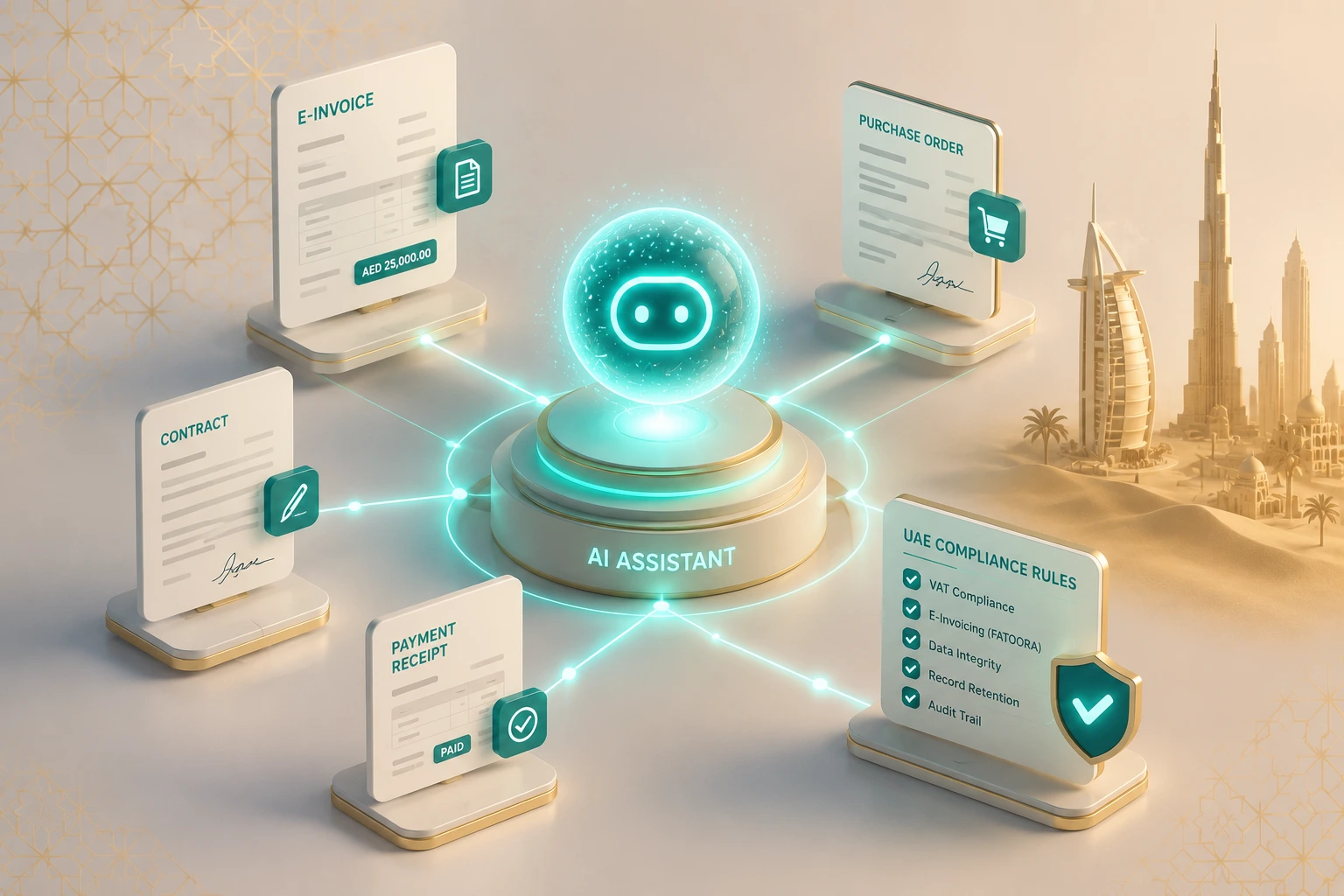
The top Odoo 19 AI features for UAE businesses are the dedicated AI app, AI Agents that can act on records (not just answer), the Ask AI command palette, natural-language reporting, AI Fields in Studio, prompt-based server actions, live meeting transcription, AI content and Arabic generation, CRM probability scoring, and AI-assisted SEO.
Odoo embeds this AI across modules including Sales, CRM, Accounting, Helpdesk, Project, HR, and Website, with a standalone AI app acting as the control centre. Here are the ten features that matter most for UAE operations, each with a specific local application.
1. What does the dedicated AI app do?
Odoo 19 introduces a standalone AI application — the central hub where administrators create, configure, and govern AI behaviour across the database. This is a structural change: instead of AI scattered as hidden settings, there's one place to control which agents exist and what data they can touch.
UAE application: For a Sharjah or DMCC free-zone entity handling regulated client data, the AI app is where you set guardrails before any agent goes live — defining which agents can read customer records, which are limited to drafting, and which are switched off entirely. That governance layer matters when free-zone data-handling policies and PII obligations are in play.
2. What can Odoo 19 AI Agents do?
This is the headline change. Odoo 19 AI Agents in UAE deployments aren't chatbots — they can perform actions inside the system, and you can train them on your own documents: PDFs, internal policies, knowledge articles, and website links. An agent can therefore answer using your business rules, not just general knowledge.
UAE application: Train an agent on your VAT treatment matrix, free-zone vs mainland invoicing rules, and AMC contract terms, then let your finance team query it in plain language — "is this supply into a designated free zone out-of-scope or standard-rated?" — and get an answer grounded in your documented policy rather than a guess.
3. What is the Ask AI command palette (Ctrl + K)?
The Ask AI feature is available anywhere in the database via the command palette (Ctrl + K) or the AI button in the top-right corner. It understands natural language, can open views, surface records, and improve content. According to Odoo's official AI documentation, the standard Ask AI agent can open views and display reports but cannot create or alter records.
UAE application: An operations manager juggling shipments across Jebel Ali and a mainland warehouse can type "open overdue deliveries to Abu Dhabi this week" from any screen, without learning Odoo's filter syntax — useful for non-technical staff who live in the system but were never formally trained on it.
4. How does natural-language reporting work in Odoo 19?
Natural language reporting in Odoo 19 lets users describe the report they want — "show me sales by emirate this quarter" — and the AI builds the view, filters, groups, and chart. It also extends to the Spreadsheet app, which now generates Radar, Treemap, Sunburst, and Geo charts from a prompt.
UAE application: Instead of waiting on an admin for a custom report, a regional sales lead can self-serve a Geo chart of revenue across the seven emirates, or a Treemap of distribution by product category. It's the kind of multi-region view mid-market UAE trading firms constantly ask for but rarely have a dashboard to deliver.
5. What are AI Fields in Odoo Studio?
With Odoo AI Fields in Studio, you can add custom fields that are populated by AI from a prompt — no code required. You describe what the field should contain, and the AI fills it based on the record's data. (See our Odoo Studio customization work for where this fits in a build.)
UAE application: For an importer running thousands of SKUs, an AI Field can auto-suggest the likely HS classification or flag the probable VAT treatment per product line, turning a manual data-cleanup project into a reviewable draft. The output still needs a human check — but it shifts your team from data entry to data verification.
6. What are prompt-based server actions?
Odoo 19 lets you build server actions from a plain-language prompt — describe the automation and the AI translates it into an executable action, including field updates and document-driven entries. This is no-code automation aimed at users who would never write a Python rule.
UAE application: "Send a payment reminder to all customers with invoices overdue by more than 10 days" becomes a working payment-chasing (dunning) workflow, and because Odoo's content tools handle Arabic, you can route those reminders in Arabic or English depending on the customer. For UAE SMEs without an in-house developer, this removes a real bottleneck.
7. How does live meeting transcription work?
A discovery call ends at 11am in Dubai; by the time the India delivery team logs on, the summary is already sitting in the project. That's the workflow Odoo 19 enables: it can record a meeting, transcribe it, and generate an AI summary when you stop recording, available across apps from Project to CRM to Accounting.
UAE application: For teams split across a UAE base and an offshore India delivery function — a common OdooEdge client setup — transcription plus summary makes handovers cleaner across time zones, without anyone re-listening to an hour of audio.
8. Can Odoo 19 generate Arabic content?
Odoo 19's AI content tools draft and adapt email templates, product descriptions, and website copy — adjusting tone, wording, and structure on request. Because these run on LLMs, they handle Arabic, so you can generate Arabic content directly inside Odoo 19.
UAE application: Generate the English and Arabic versions of the same customer email or product description from one prompt, rather than drafting in English and sending it out for translation. For UAE businesses serving a bilingual market, this compresses a two-step process into one — though Arabic output should still be reviewed for formality and any regulated wording.
9. What does Odoo 19's CRM AI do?
A salesperson is away during Eid, and a colleague has to pick up a live GCC account cold. Instead of scrolling months of email, they get an AI summary that reconstructs the relationship in seconds. Odoo 19's CRM AI does two useful things here. The probability calculator explains what is raising or lowering a deal's win likelihood, flagging, for example, an invalid phone number as a negative factor. The AI Summary reads a lead's full history and attachments and drafts both a catch-up and a suggested reply.
UAE application: Deal continuity across holidays and handovers is a genuine operational risk in this market — a hot lead going cold over a long Eid break is a real cost. The CRM AI keeps the thread warm even when the original owner is offline.
10. How does AI-assisted website SEO work?
Inside the website editor, Odoo 19 includes AI tooling to improve a page's SEO, alongside AI-fillable HTML property fields.
UAE application: If you run your storefront or corporate site on Odoo's CMS, you can optimize pages for UAE and Arabic search intent without leaving the editor — practical for businesses that manage their own site and can't justify a separate SEO retainer.
That's the feature set. The next question most IT Directors ask is how much of this is genuinely new versus a rebrand of Odoo 18 — so here's the direct comparison.
Odoo 19 vs Odoo 18 AI features: what actually changed?
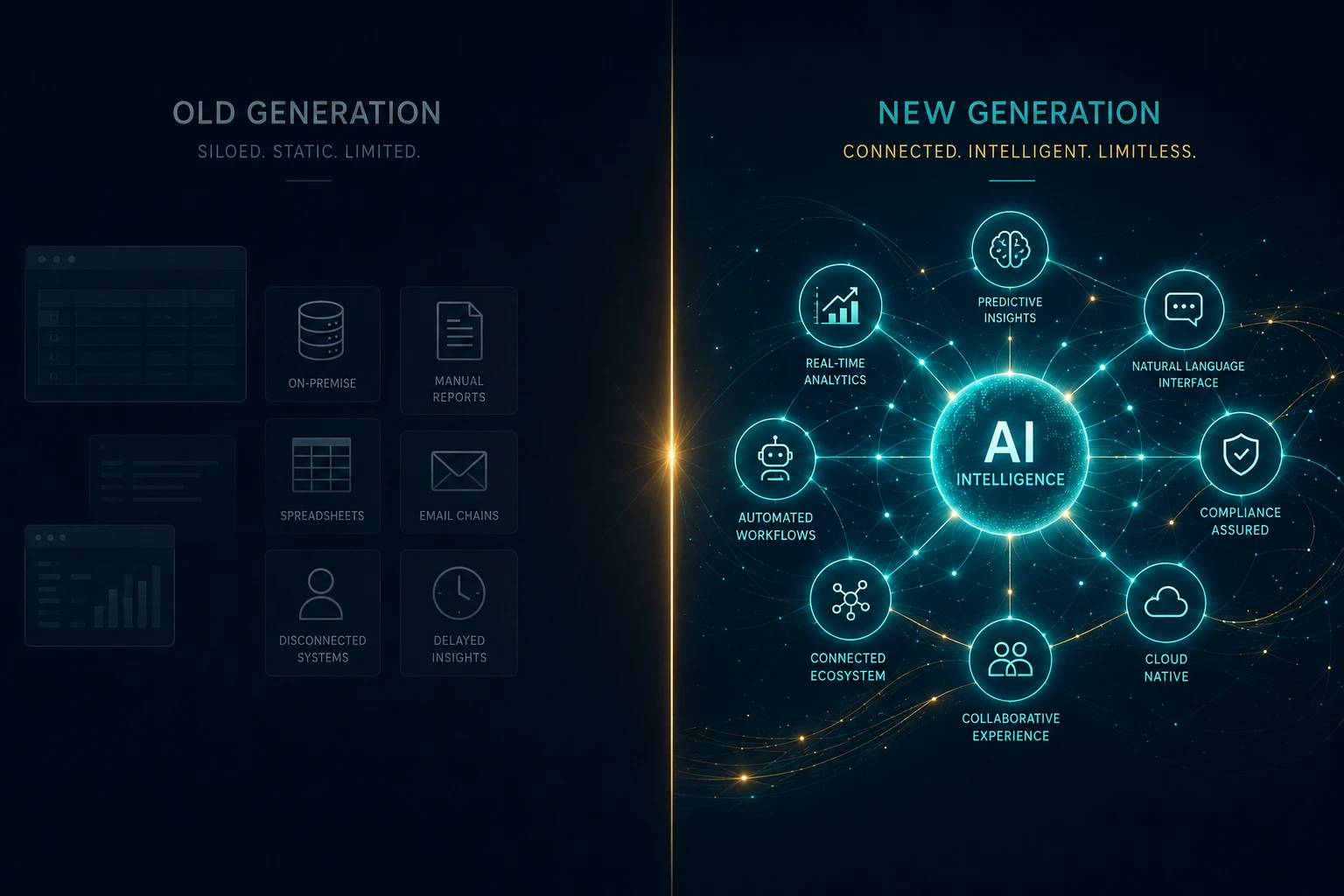
Odoo 18 offered AI as bolt-ons — basic text generation, invoice OCR, and opportunity scoring. Odoo 19's change is structural: a dedicated AI app, AI Agents that perform actions, and natural-language reporting and automation that did not exist in Odoo 18. The gap is functional, not cosmetic.
If you only read one section, read this table.
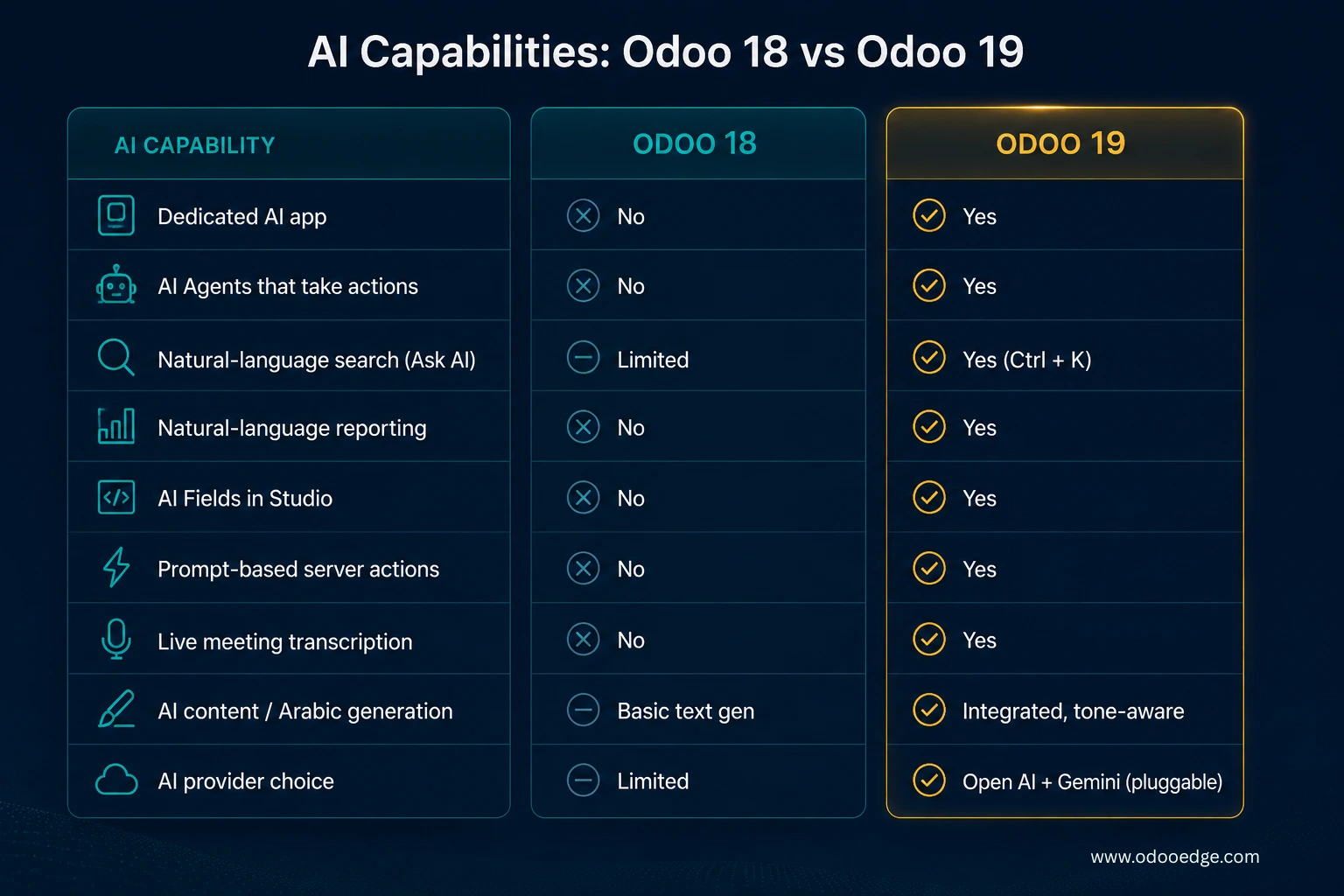
Source: Odoo 19 release notes and Odoo product documentation.
Odoo has continued extending the AI layer across point releases (19.1 and 19.2), adding capabilities such as AI-powered document querying (upload a file and ask questions of it) and AI-assisted SEO. Note that these point releases land first on Odoo Online (SaaS); on-premise and Odoo.sh customers generally receive the same features in the next major version (Odoo 20). The takeaway for anyone planning an Odoo upgrade in 2026: the move from 18 to 19 isn't a cosmetic version bump — it's the difference between AI you configure in the background and AI your team uses directly. That's what makes Odoo 19 a credible contender when UAE buyers shortlist the best AI ERP for their business, against the mid-market tiers of Microsoft Dynamics 365, SAP Business One, and Zoho, where comparable embedded, no-code AI is typically a paid add-on or a later roadmap item.
One area deserves its own clarification, because it's where most competitor blogs overreach: e-invoicing.
How do Odoo 19 AI features support UAE e-invoicing?
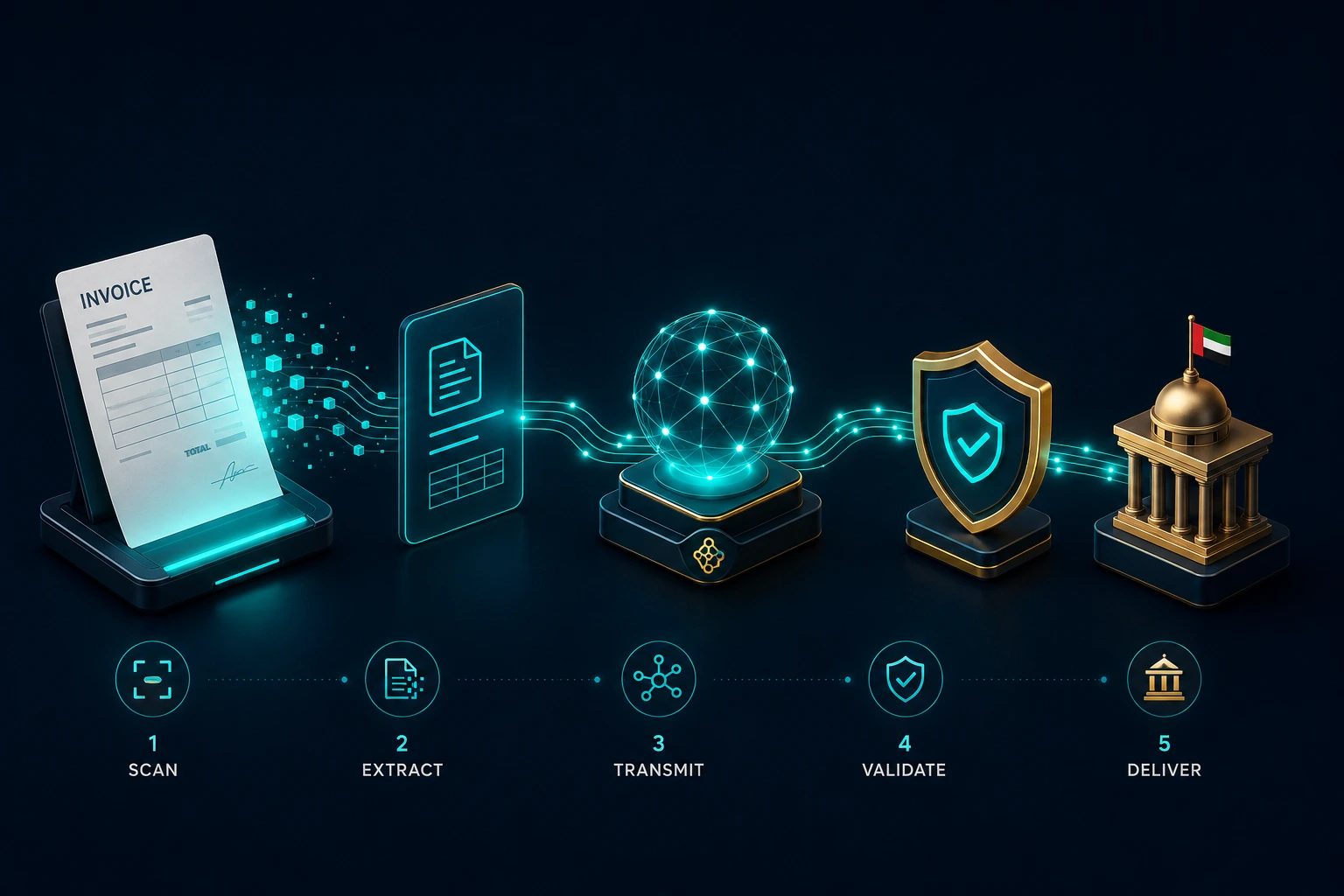
Odoo 19's AI speeds up the data side of invoicing — AI-assisted vendor-bill digitization, OCR capture, and server actions that draft journal entries from documents. It does not, on its own, make your invoices UAE-compliant. Valid UAE e-invoices must be structured XML in the PINT AE format (the UAE's Peppol-based invoice standard), which carries dozens of mandatory structured fields, transmitted through an Accredited Service Provider (ASP). An ASP is a UAE Ministry of Finance–approved provider authorised to validate and transmit those invoices over the Peppol network. AI inside Odoo doesn't replace that pipeline; it accelerates the data capture that feeds it.
UAE e-invoicing deadlines: Per the UAE Ministry of Finance (Ministerial Decisions 243 and 244 of 2025), businesses with revenue of AED 50 million or more must appoint an ASP by 30 October 2026 (extended from 31 July 2026), with mandatory go-live on 1 January 2027. Smaller businesses follow from 1 July 2027.
This matters specifically for anyone evaluating how Odoo 19's AI relates to UAE e-invoicing. It also raises a data question: because the AI runs on external models like ChatGPT and Gemini, UAE businesses should align prompt and output handling with the Personal Data Protection Law (Federal Decree-Law 45 of 2021) and any free-zone data rules before going live.
Here's the distinction that matters: Odoo 19's AI reduces the manual effort of preparing invoice data; ASP integration delivers the actual compliance. The two are complementary, not interchangeable — and any vendor claiming Odoo 19's AI alone makes you e-invoicing compliant is overstating it. For UAE businesses, the practical 2026 move is to plan the Odoo 19 AI upgrade and the ASP integration as one connected project. (See our UAE e-invoicing service page for the compliance side.)
With the features and the compliance picture clear, here are the questions UAE buyers ask most.
Frequently asked questions
When was Odoo 19 released?
Odoo 19 was released in September 2025. It's notable as the first Odoo version to treat AI as a core, system-wide layer rather than a set of isolated add-ons, introducing a dedicated AI app and configurable AI Agents. Odoo has since shipped point releases (19.1, 19.2) that extend the AI feature set further.
What's new in Odoo 19 AI versus Odoo 18?
Odoo 18 offered AI as separate add-ons — text generation, invoice OCR, and opportunity scoring. Odoo 19 adds a dedicated AI app, AI Agents that perform actions, natural-language search and reporting, AI Fields in Studio, prompt-based server actions, and live meeting transcription. It's the first Odoo release to treat AI as integrated daily workflow rather than an optional feature.
Is Odoo 19 AI available in Community edition or only Enterprise?
Most Odoo 19 AI features require Odoo Enterprise edition. AI Agents, AI Fields in Studio, and prompt-based server-action automation are Enterprise-gated, and Community edition users get limited or no access. For UAE businesses, Odoo AI Enterprise edition access is the gating factor — making edition choice a budgeting decision tied directly to which AI workflows you intend to deploy.
Does Odoo 19 AI work in Arabic?
Yes. Because Odoo 19's AI content tools run on large language models, they generate and adapt content in Arabic — covering email templates, product descriptions, and website copy. UAE businesses can produce English and Arabic versions from one prompt, though Arabic output should be reviewed for formality and any regulated or legal wording before it goes out.
Does Odoo 19 support UAE VAT and e-invoicing compliance?
Odoo 19 supports UAE VAT and uses AI to speed invoice data capture, but AI alone does not produce compliant e-invoices. UAE compliance requires structured PINT AE XML routed through an Accredited Service Provider. Under MoF rules, large businesses must appoint an ASP by 30 October 2026 and go live by 1 January 2027.
What AI providers does Odoo 19 integrate with?
Odoo 19 connects to external large language models — primarily OpenAI's ChatGPT and Google Gemini — with the ability to plug in others via modules. You're not locked to a single provider, which lets UAE businesses align their AI choice with data-residency and compliance preferences rather than accepting one default vendor.
Can Odoo 19 AI Agents take actions, or only answer questions?
Odoo 19 AI Agents can take actions, not just answer questions — this is the core change from earlier versions. Agents can be trained on your own documents and configured to perform tasks like field updates and automations. Note that the standard read-only Ask AI agent displays information and opens views but does not alter data.
Is Odoo 19 AI safe for sensitive UAE business data?
Odoo 19's AI runs on external LLMs, so prompts and outputs may be processed by third-party providers under their own terms. The dedicated AI app lets administrators govern which agents access which data. UAE businesses handling regulated or personal data should align AI usage with the Personal Data Protection Law and free-zone policies before going live.
How much does upgrading to Odoo 19 cost for a UAE SME?
Cost depends on three factors: Odoo Enterprise licensing (required for most AI features), external LLM API usage billed separately by OpenAI or Gemini, and the implementation effort to migrate customizations. There's no single figure — a scoping assessment that maps your modules and AI use cases is the standard way to get an accurate UAE-specific estimate.
The bottom line for UAE operators
Odoo 19 turns AI from a background add-on into a layer your team uses directly: agents that act, reporting you can ask for in plain language, and automation that doesn't need a developer. The realistic constraints are equally clear — most of this needs Enterprise edition, the AI relies on external providers you should vet for data handling, and e-invoicing compliance still requires an ASP.
The firms that come out ahead in 2026 won't treat the Odoo 19 AI upgrade and their e-invoicing readiness as two separate projects; they'll scope them as one. If that's the decision on your desk, book a scoping call and we'll map your specific modules, AI use cases, and compliance path before you commit to a timeline.